
CONNECTED TECHNOLOGY. CLEARLY EXPLAINED.
Quuppa asset location: tags, locators and the operating record
Research a Quuppa location route for a defined non-clinical asset group, with compatible components, representative location checks and a demonstrated receiving workflow.
Offering research · By Admin · Checked 20 October 2026. Official system and compatibility documentation; no installed location accuracy, clinical readiness or local quote verified.
This route addresses the asset-location branch of the non-clinical pilot. Begin with the location record an equipment custodian needs, such as the last observed zone for a utility case. Keep the asset's maintenance, availability and readiness states in their own responsible workflow.
Specify the whole location route
A planned locating system
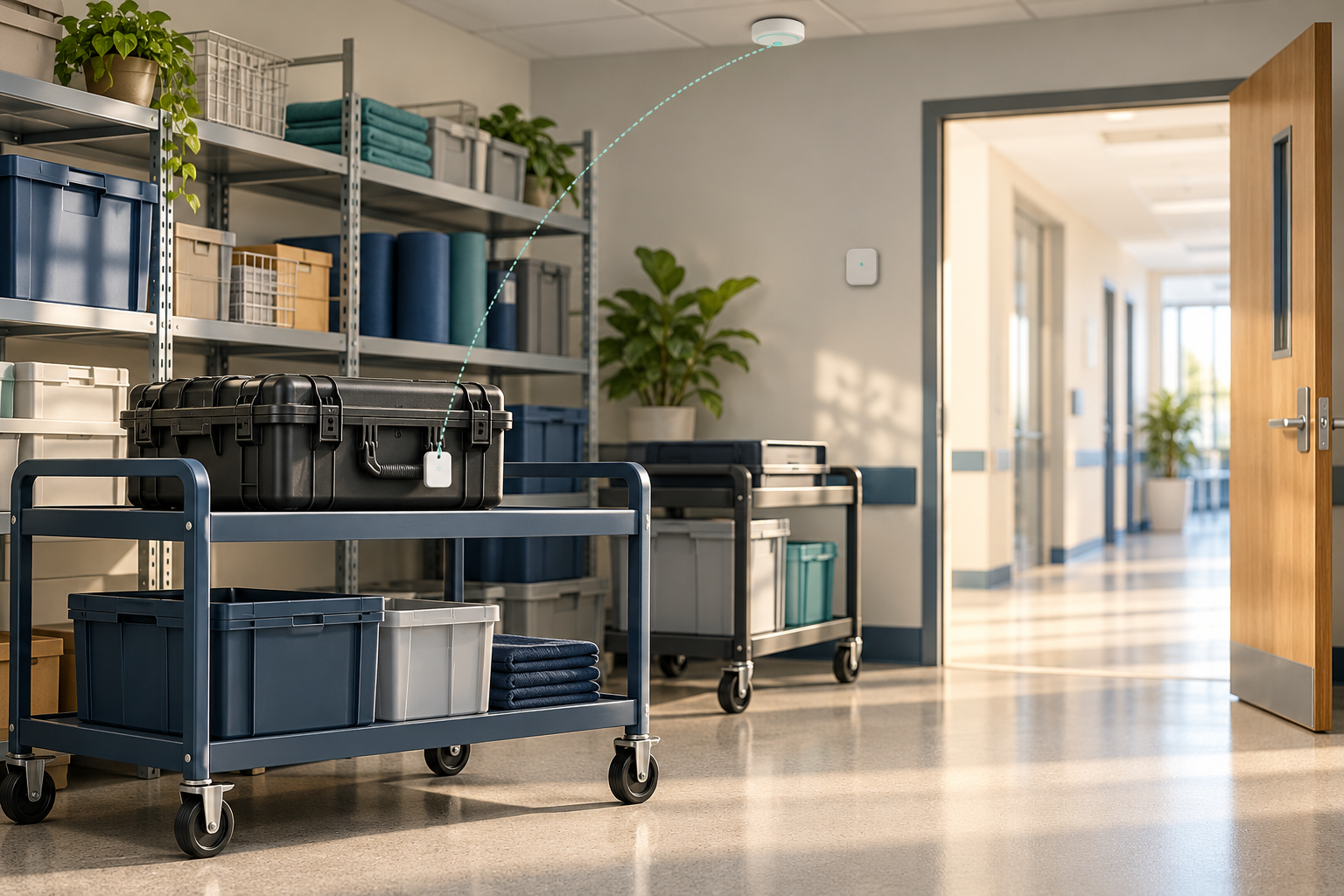
Quuppa's system combines tags, deployed locators and positioning software. The locator guidance calls for distribution and density planning before installation. A tag purchase alone does not deliver a useful location record.
Compatible components
The compatibility guide distinguishes software-only classic QPE from Quuppa for Enterprise. Identify the actual software route and supported hardware. Do not assume a generic Bluetooth label proves tag features or complete project compatibility.
An operationally useful result
Choose whether the decision needs a zone, floor or coordinate and how current it must be. Test that record against authorised physical checks in the actual site. A manufacturer precision claim is not a reproduced site result.
Follow a tagged asset into a reviewed response
1 · Bound the asset group
Choose non-clinical utility assets and an operating question. Verify each tag-to-asset mapping, authorised attachment and custodian. Agree what the team does when the asset is missing, the tag is detached or the record is stale.
2 · Resolve tag behaviour and support
The tag-design documentation distinguishes Approved Tags from Tested Devices and requires suitable profiles/packets to make devices trackable. It also describes antenna and firmware/state behaviour as performance influences. Obtain evidence for the exact supplied tag, firmware, mounting and operating mode.
3 · Plan locators and the site record
The qualified deployment team plans the locator distribution, network and coordinate/zone definitions. Confirm all relevant storage areas, doorways and floors. Retain the installed configuration and the reference positions/routes used for acceptance.
4 · Check software and hardware together
The locator documentation states that LD-series hardware does not work with release 8.0 and above; existing LD projects are limited to 7.6 or below. Resolve any legacy estate, supported software route and upgrade/recovery plan before specifying a mixed deployment.
5 · Demonstrate the receiver
QPE documentation describes data arriving from locators over IPv4 and location output through JSON/REST pull or UDP push interfaces. Demonstrate the actual receiving application, identity mapping, observation/receipt time, stale states and export. An available API does not establish a completed integration.
6 · Review the physical asset
The authorised custodian checks the asset using the existing process and records the result. Measure wrong-zone/floor observations, missed updates, delay and actual search effort against the baseline. Retain a manual fallback and recheck after material layout, tag or configuration changes.
Treat visibility and performance as separate claims
The tag documentation explains that making a device visible to the system does not itself determine its accuracy. Obtain a representative test of the actual asset attachment, material, movement and site conditions. Report unresolved observations rather than selecting only a best-case coordinate.
Scope computing and application ownership
The compatibility guide describes classic QPE for integration into a larger application and an Enterprise route with container-based software. Ask who supplies, sizes, maintains and recovers the controller/hosting and the receiving application. Confirm licences, access, backups and export rights separately.
Keep the pilot non-clinical
A location estimate neither establishes that equipment is clean/maintained nor authorises clinical use. Do not join the first pilot to identifiable patient, staff or badge records. Review purpose, access, retention and secondary uses with the responsible organisation.
Request regional and continuing service evidence
Confirm exact tag/locator variants, applicable radio suitability, qualified deployment, software entitlement and written local support. Include replacement, battery, mapping, network, update and exit responsibilities. No current India stock, price, installed performance or service commitment is established here.
Use the pilot and a written proposal
Non-clinical tracking pilot provides the operating question and evidence record. Prepare a private requirements enquiry for Admin review. An unlisted provider may be named in the non-confidential brief; no provider is contacted automatically.
Sources and independence
Official system, compatibility, tag-design, locator and QPE documentation support the stated distinctions. Version references describe documented compatibility boundaries, not a recommendation to retain unsupported software. The acceptance questions are original editorial guidance. No installed accuracy, clinical validity, privacy approval or IoTPapa partnership is established.
Quuppa Intelligent Locating System overview
Quuppa software and tag compatibility guide
Quuppa locator planning and legacy boundary
Connect location technology to the equipment workflow
USE CASE
Non-clinical tracking pilot
Define identity, freshness, reference checks and an authorised operational response.
PROVIDER
Quuppa provider context
Resolve locating components, application delivery and field-service ownership.
PRIVATE ENQUIRY
Prepare a private enquiry
Describe the utility-asset group and required location record without personal identities.