
CONNECTED TECHNOLOGY. CLEARLY EXPLAINED.
Education and makerspaces
Explore sensor learning kits and shared laboratories through clear objectives, recorded hardware/software, supervised access and practical maintenance.
Industry evaluation · By Admin · Reviewed 20 October 2026. Original learning-resource planning guidance; no built station, classroom trial, certification or measured educational outcome reported.
Build a learning resource that the next group can use
Education and makerspace IoT includes sensor lessons, development boards, shared stations, software tools and supporting services. Begin with the learning objective and the people responsible for setup, supervision and upkeep. A kit demonstration becomes a usable shared resource only when its state, evidence and handover are understandable.
Prepare accessible instructions, suitable pacing and an equivalent way to demonstrate the objective where needed. Check the actual tools with the intended learner group and assign assistance and supervision explicitly.
Define the learning objective
Choose the observation or explanation the learner should demonstrate, the prerequisites, supervision and suitable evidence. A dashboard alone is not a learning assessment.
Identify the station and versions
Record exact hardware, accessories, approved setup, tools, firmware/libraries, lesson revision and known starting state. Keep updates and component changes traceable.
Own access and next-session readiness
Assign setup, supervised use, account handling, reset, storage, repair and fallback. Keep personal learner records out of this proposed operating brief.
Connect the lesson with an observable maintained station
1 · Objective and session scope
Choose one manageable sensing activity for the intended learner group. Record prerequisites, supervision, session constraints and the evidence that would demonstrate the objective.
2 · Approved identified station
Responsible owners approve the exact components, physical arrangement and manufacturer instructions. Retain hardware/software versions, required tools and supplied versus additional items.
3 · Known starting state
Keep source/configuration revisions, build/setup instructions, dependencies and a reference activity. A new maintainer should be able to identify differences without the original author present.
4 · Understandable observations
Explain device identity, variable, units, time and missing/stale states. Label synthetic records and use an agreed reference method; do not present software simulation as sensor validation.
5 · Reset and handover
Demonstrate an authorised reset/restore and physical readiness check. Record the result and leave the station ready for the next session, with secrets stored separately.
6 · Maintenance and improvement
Review missing/damaged parts, updates, changed observations, access and actual setup/support effort. Recheck after changes and assess learning evidence separately from equipment uptime.
Pilot example: a maintainable shared sensor laboratory
The shared sensor-lab pilot covers one supervised low-voltage sensing activity. It records the station and software versions, a known starting state, an observation task, authorised reset/restore and the next-session handover. It does not report a physical build or learner outcome.
Distinguish a learning kit from the whole resource
Identify the exact board, sensors, supplied accessories, host requirements, tools, lesson revision and any account/cloud dependency. Confirm what is included, what must be supplied separately and who supports changes. A component list does not establish a complete supervised lesson or maintainable shared service.
Keep observation evidence understandable
Record device identity, variable, units, time, configuration and missing/stale states. A synthetic input must be labelled; it can exercise software without validating a physical sensor. An agreed reference observation is distinct from calibration or an educational outcome study.
Make reset and maintenance part of the lesson
Keep a versioned setup package and known starting state. Document authorised restore/reset, readiness checks, equipment storage, damaged/missing components, update ownership and an alternative activity when the station is unavailable. Verify the actual procedure after material hardware or software changes.
Plan supervision, access and privacy
Responsible educators and equipment/IT owners approve the physical arrangement, manufacturer instructions, supervision and network/account use. Use the minimum non-identifying task evidence. Attendance surveillance, student ranking, biometrics and unrelated personal collection are outside this learning pilot. Keep learner records and secrets out of reusable packages and initial enquiries.
Evaluate learning and upkeep separately
Assess the stated learning objective with a suitable method. Also record time to a usable station, successful independent setup/reset, version mismatches, unavailable equipment, support effort and actual maintenance cost. Neither finishing a kit nor a vendor’s learning claim is evidence that this proposed lab improved an educational outcome.
Use references within their scope
The NIST IR 8259A overview supports device-capability planning. Reproducible Builds’ definition concerns identical specified software artifacts from the same source, environment and instructions; repeating a lesson alone does not prove that property. The NIST Privacy Framework supplies voluntary privacy-risk context. None certifies a classroom, station or institution.
Prepare a non-confidential brief
Describe learner level, objective, approximate station count, existing equipment and computers, access/network constraints, supervision and maintenance ownership. Prepare a private requirements enquiry for Admin review. Onward sharing is optional; no provider is contacted automatically.
Laboratory pilots and practical reading
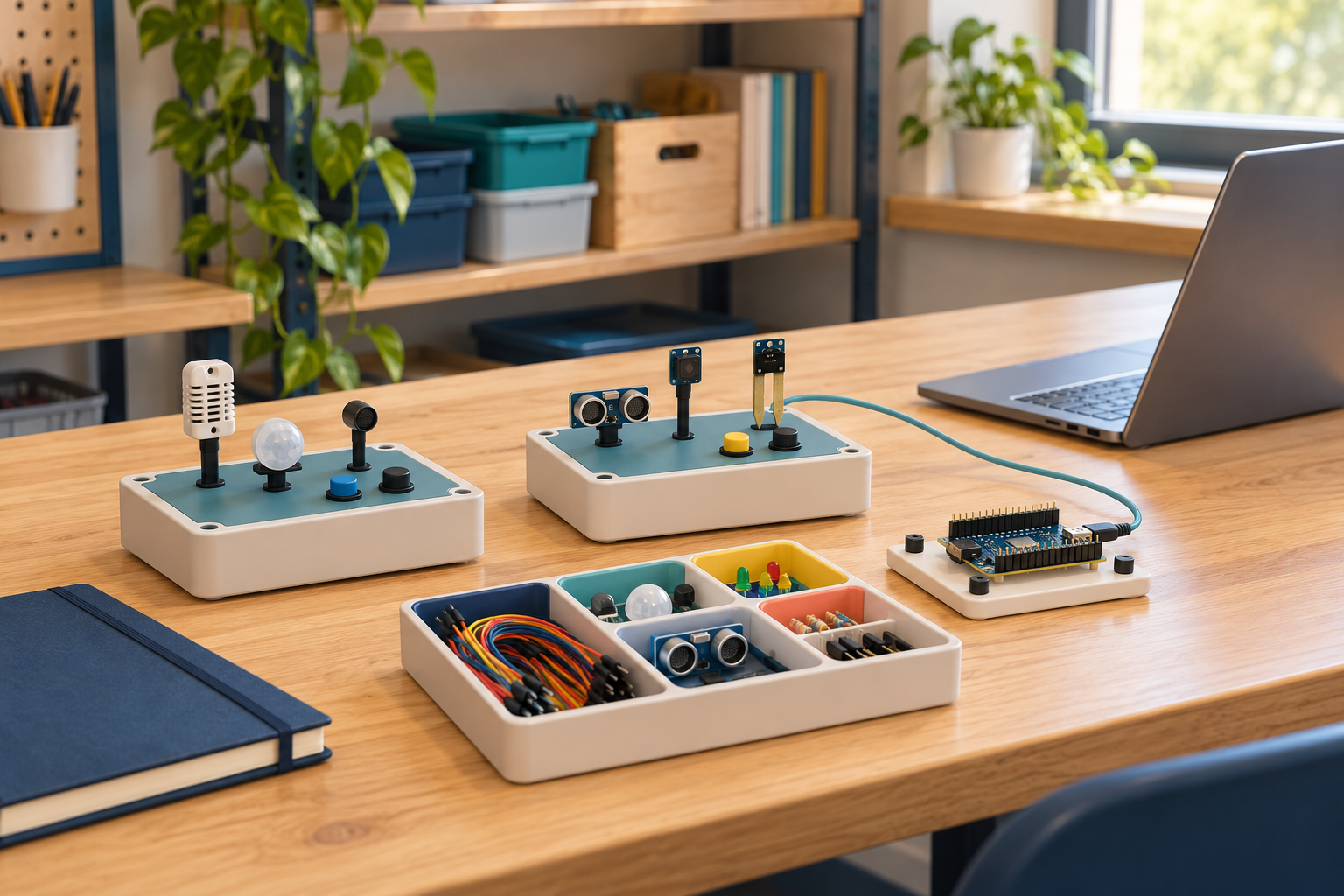
USE CASE
Shared sensor-lab pilot
Plan a small supervised sensor lab that the next group can use: recorded versions, a known starting state, understandable observations, reset steps and maintenance ownership.

CONNECTED PROFILE
Education IoT
Plan IoT learning through clear outcomes, reusable kits, accessible instructions and projects students can explain and restore.
RELATED READING
IoT explained: follow a sensor reading to a useful action
A practical guide to connect this subject with a useful decision.
RELATED READING
Build your first IoT project: from requirement to reproducible record
A practical guide to connect this subject with a useful decision.
RELATED READING
Internet of Senses: practical interfaces and speculative claims
A practical guide to connect this subject with a useful decision.
RELATED READING
IoT in education: learning projects and accountable classrooms
A practical guide to connect this subject with a useful decision.